Trades & Book
The order book and the tape side by side.
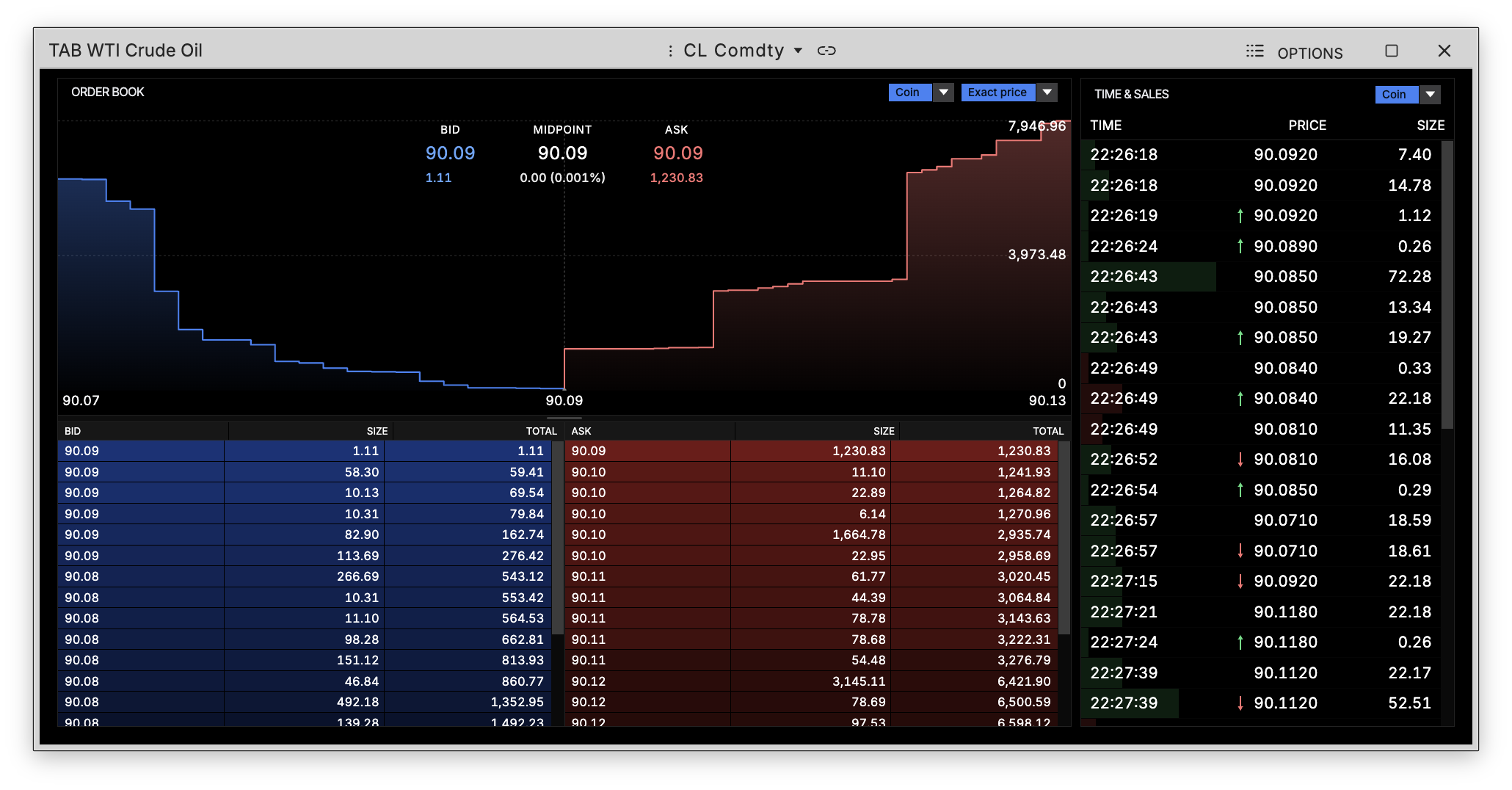
TAB puts the book and the tape in one window: resting depth on the left, the prints that hit it on the right, so liquidity and execution are read together rather than in two places.
How to use TAB
Command: TAB
Type TAB in the terminal, then pick a security.
The book
The left side is the full order book, with the depth chart above it — bids in blue, asks in red, and the bid/midpoint/ask printed across the top with the spread beside it. Each side lists price, size and a running total, so you can see where size is stacked.
The tape
The right side is time and sales: every print with its time, price and size, newest at the bottom. An arrow marks the prints that moved the price, and the size shading makes the larger trades stand out as they come through.
Both sides have a unit dropdown, so size reads in the coin or in dollars, whichever you want.