Portfolio
Track positions, balances, orders, trades, and funding.
PORT is your account dashboard — everything about your positions, balances and trading activity lives here, one tab per view.
How to use PORT
Command: PORT
Type PORT in the terminal to open your portfolio. Open Trade Ticket in the top-right takes you straight to TKT, and the account the window is reading is named beside it.
Overview
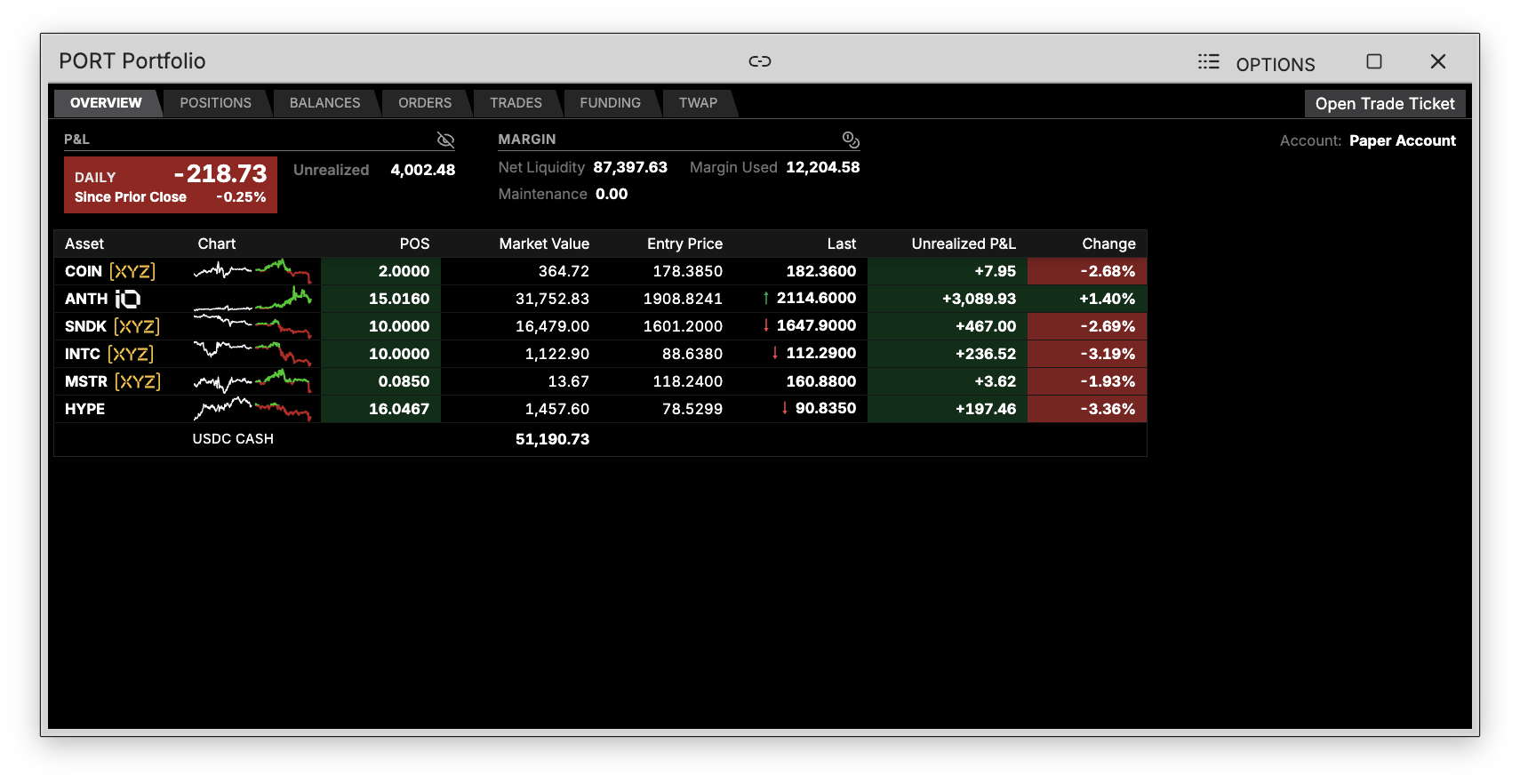
The opening view, and the whole account on one screen:
- P&L — the daily figure against the prior close, with unrealized P&L beside it. The eye toggle hides the numbers when you are not alone at the desk
- Margin — net liquidity, margin used and maintenance margin
- Holdings — every position with a 2-day sparkline, size, market value, entry price, last, unrealized P&L and the day's change, with your USDC cash on the bottom line
Positions

Open positions in detail: type, size, entry and mark price, value, and unrealized P&L in both dollars and percent. Any take-profit or stop-loss attached to a position shows in the TP/SL column, and MKT CLOSE flattens that position at market. The Group dropdown collapses the list by whatever you choose.
Balances

Two blocks. Portfolio Summary carries portfolio value, perp value, unrealized P/L, margin used and what is withdrawable. Spot Balances lists what you hold outright, with the total underneath.
Orders
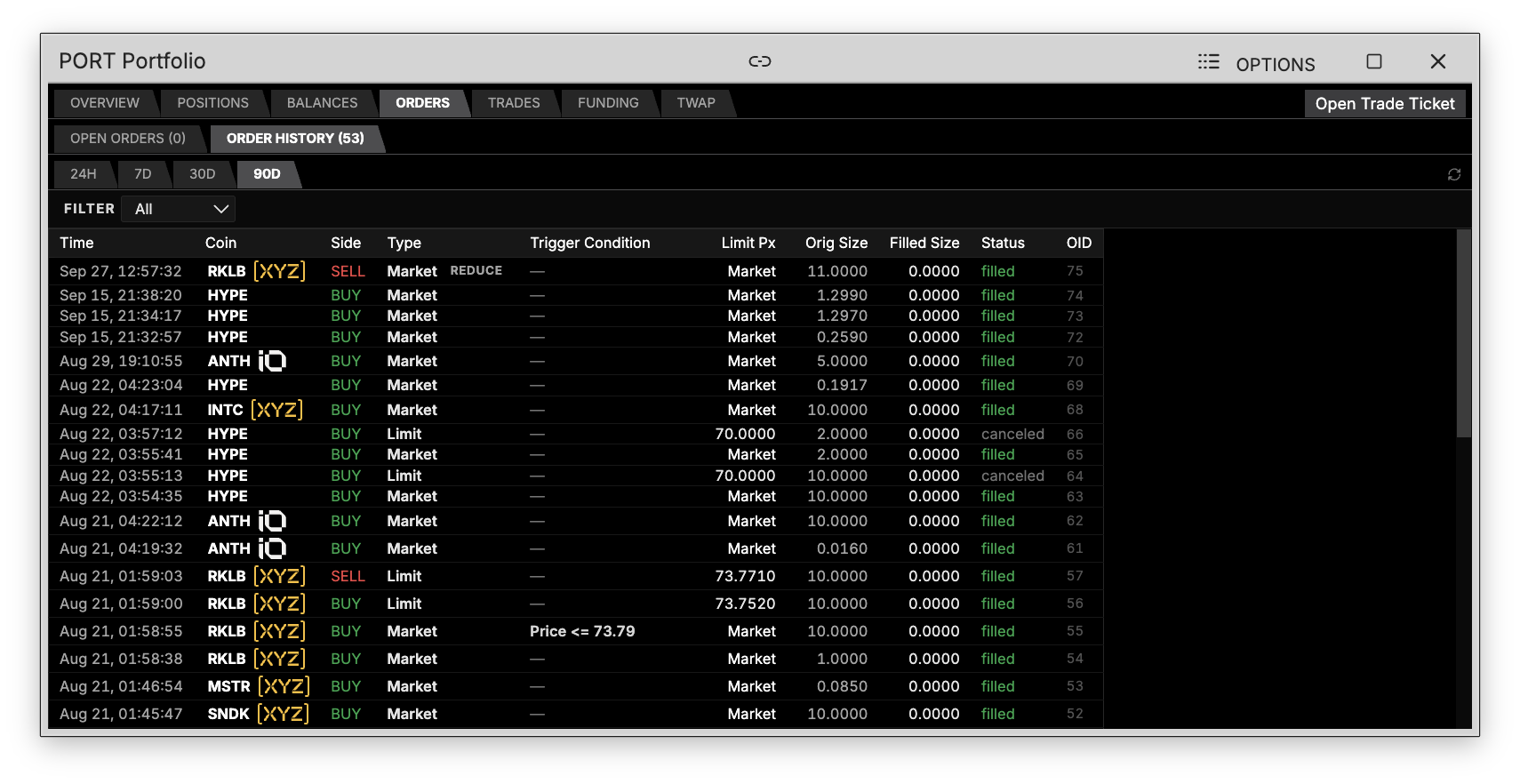
Open Orders and Order History sit on their own tabs, each counted in its label. A row carries the time, coin, side, order type, any trigger condition, the limit price, original and filled size, the status, and the order id. Pick a window — 24H, 7D, 30D or 90D — and use the Filter dropdown to narrow by order type.
Trades
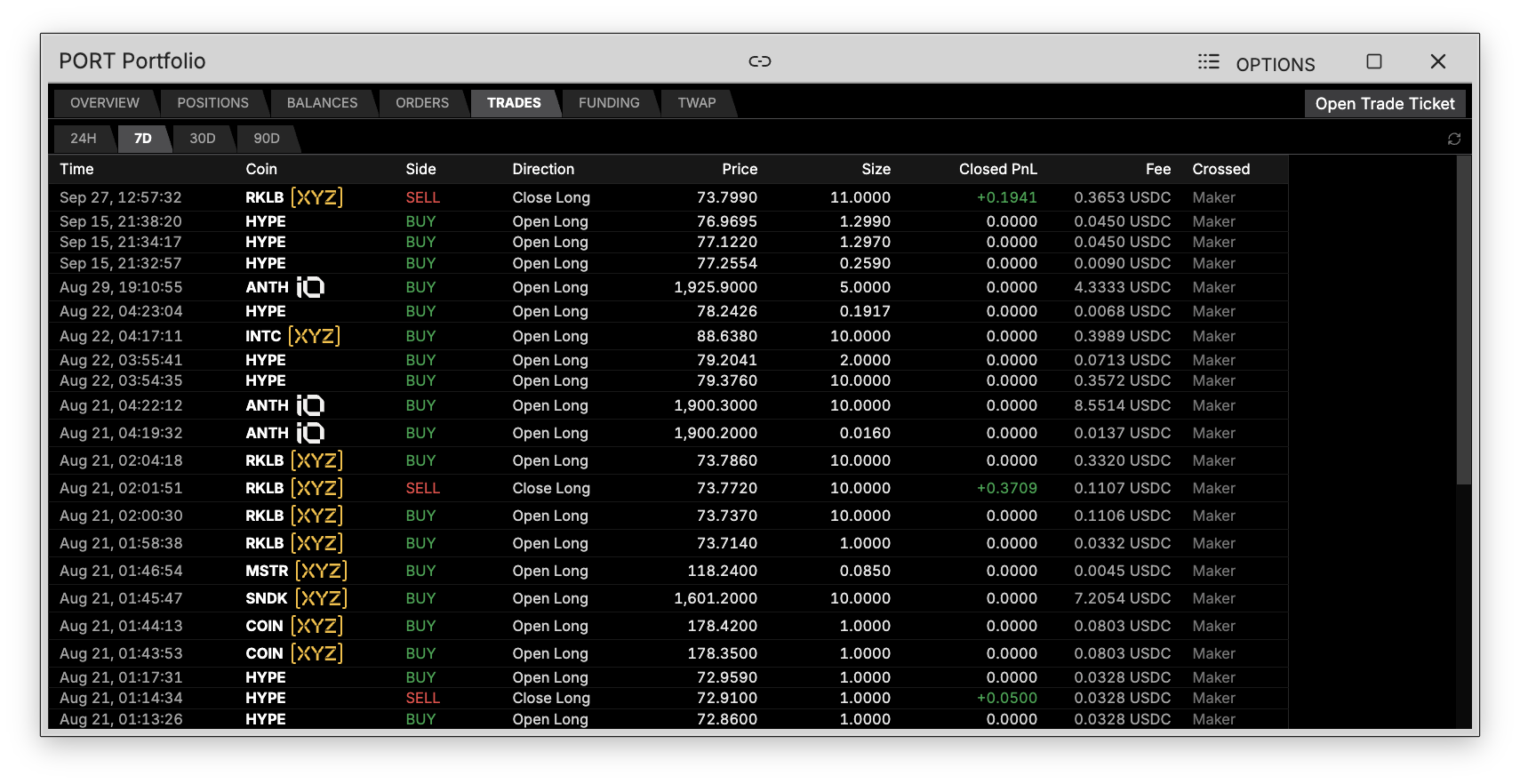
Every fill, newest first: time, coin, side, whether it opened or closed a position, price, size, the closed P&L it realized, the fee you paid, and whether you were maker or taker. Same 24H / 7D / 30D / 90D windows as Orders.
Funding
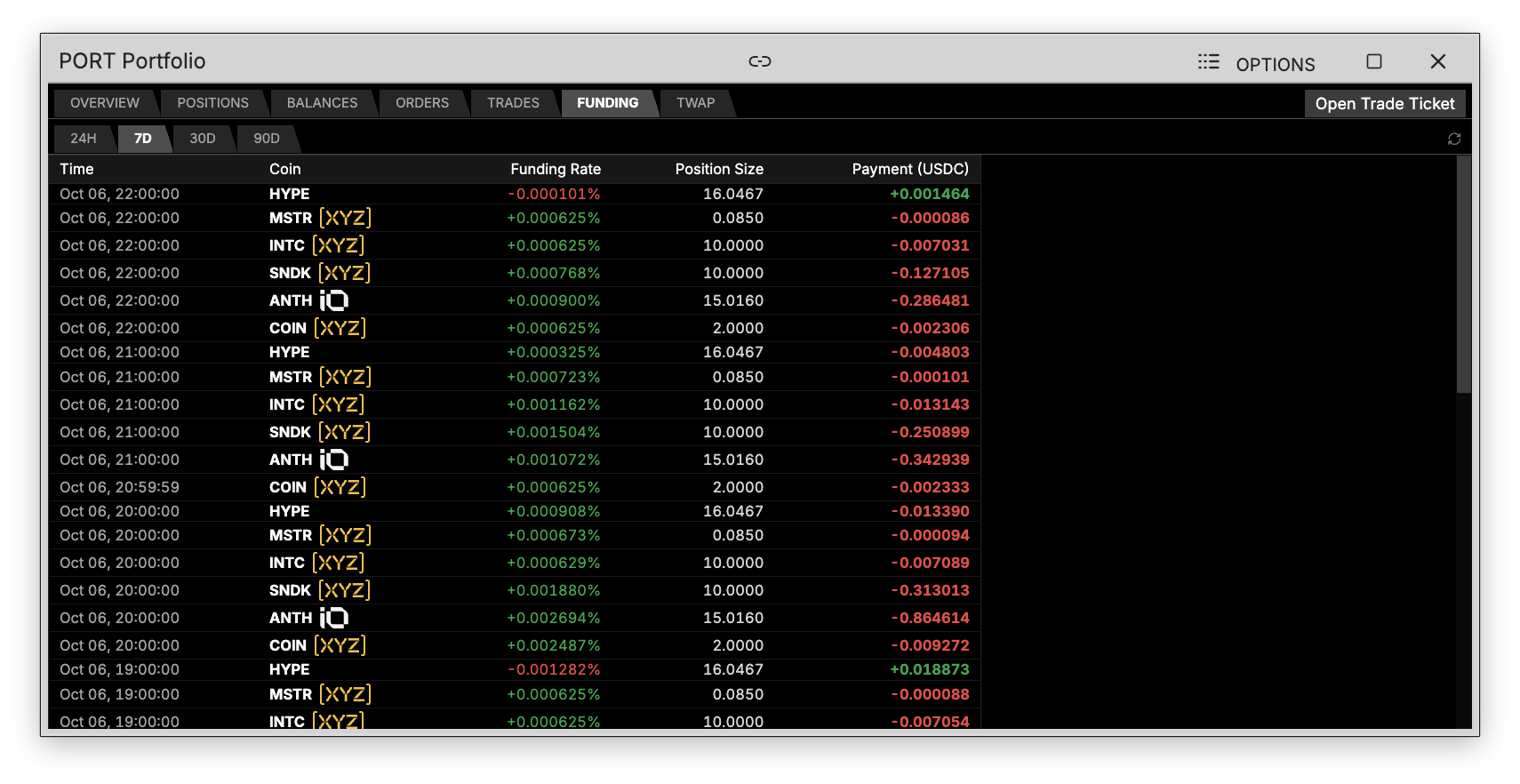
Funding payments are periodic exchanges between long and short holders on a perpetual, keeping the contract price aligned with spot. Each row is one payment: the hour it settled, the coin, the rate at the time, your position size, and what you paid or received in USDC — green where it was paid to you, red where it came out.
TWAP
TWAP (Time-Weighted Average Price) orders split a large order into smaller pieces executed over time, reducing the market impact of a big trade. This tab shows your active and past TWAP orders.