Company News
Headlines that name one company, newest first.
CN is the news feed for a single security: every headline that names it, newest first, with the other tickers each story touches listed alongside.
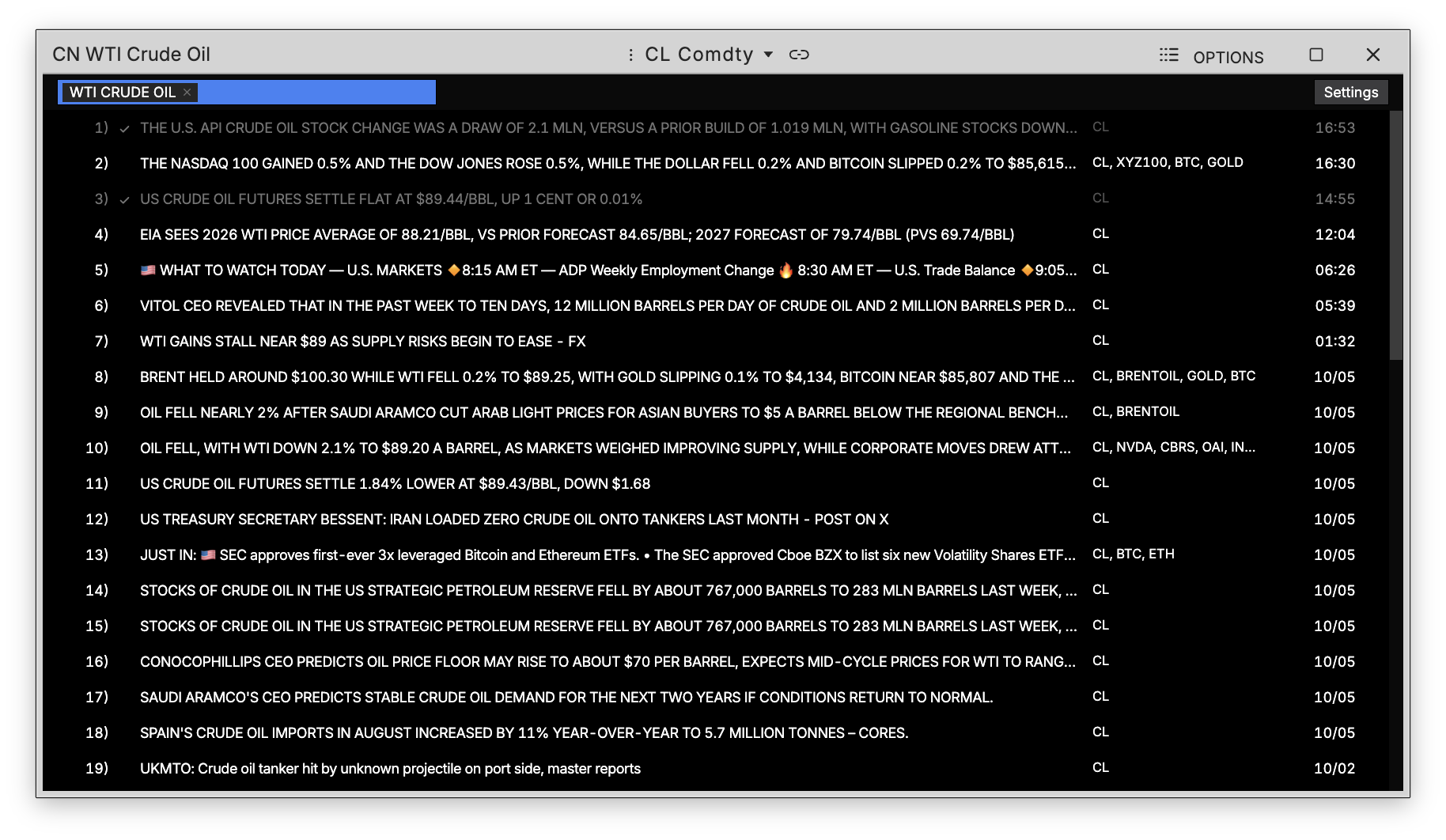
How to use CN
Command: CN
Type CN in the terminal, then pick a security — or run it from a security you already have open to follow it straight through.
Reading the feed
Each row is one headline, numbered by its place in the feed, with the tickers the story names on the right and the time it ran on the far right. Today's stories show a clock; anything older shows its date, so a day-old item is never mistaken for one from this morning.
A story you have already opened is checked off and stepped back in tone, so what is new stays obvious as the feed fills.
Following more than one company
The pills at the top of the window are the companies the feed is watching. Add another and its headlines merge into the same list, so a sector or a pair trade can be followed as one feed.
Searching the archive
Type into the search field to run free text against the whole archive rather than just the pinned companies — macro headlines name no security, so this is the only way they turn up here.